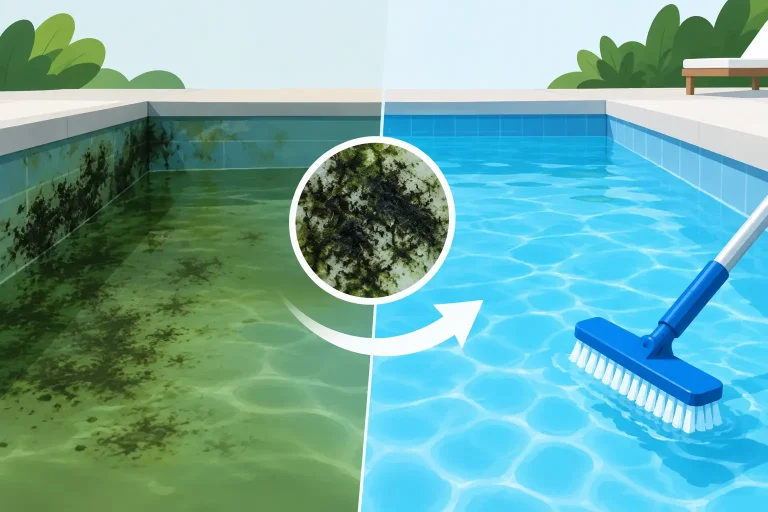
A pool can look clean at the surface while its filter is working far harder than it should. If the return jets feel weak, the pressure gauge is climbing, or fine debris keeps settling back into the water, it may be time to learn how to backwash sand filter equipment correctly. A proper backwash clears trapped dirt from the filter bed and helps restore circulation without taking apart the tank.
For Florida pool owners, this is a routine task that can become necessary after heavy rain, windblown debris, pollen, high swimmer use, or an algae cleanup. The key is to backwash based on your filter’s pressure and performance, not simply because it has been a certain number of weeks.
What Backwashing a Sand Filter Does
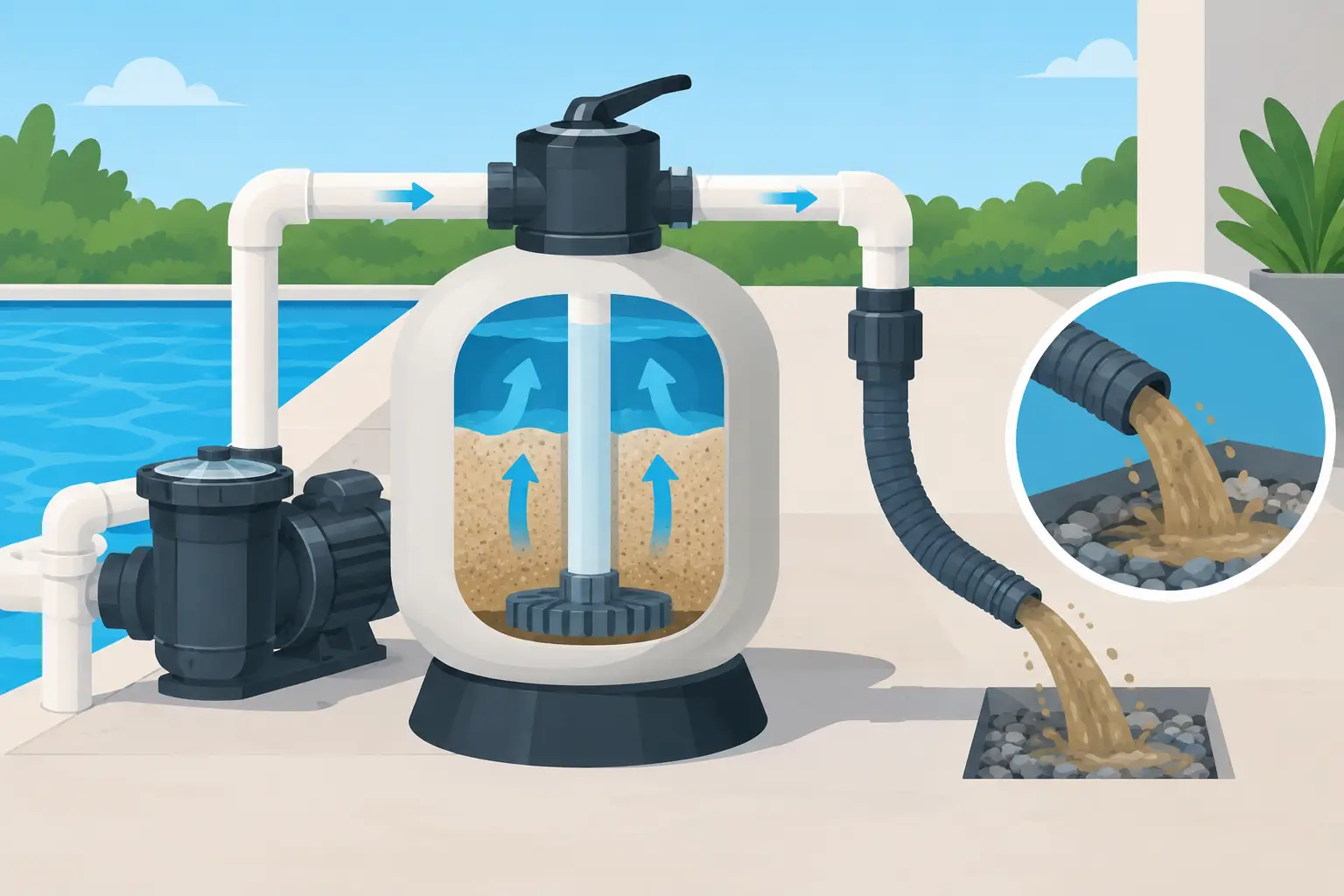
A sand filter cleans pool water by pushing it down through a bed of specially graded sand. Dirt, leaves, dead algae, sunscreen residue, and other fine particles collect in the sand while cleaned water returns to the pool.
Backwashing reverses that flow. Water moves upward through the sand and sends the collected debris out through the waste line. It is a simple process, but the valve settings matter. Moving a multiport valve while the pump is running can damage the valve gasket and create a costly repair.
Backwashing is not the same as draining your pool. It does, however, remove water. Watch the water level before and after the process, especially if your pool is already low from evaporation or splash-out.
When to Backwash a Sand Filter
The most reliable indicator is the pressure gauge on top of the filter tank. When a sand filter is clean, make a note of its normal operating pressure. For many home pools, that number falls somewhere around 10 to 20 PSI, but every plumbing system is different.
Backwash when the gauge rises about 8 to 10 PSI above that clean baseline. For example, if your system normally runs at 14 PSI after cleaning, it is generally time to backwash around 22 to 24 PSI.
You may also notice weaker flow from the return jets, poor skimmer action, or water that is becoming dull even though chemical readings are in range. Those signs can point to a dirty filter, but they can also signal a clogged pump basket, blocked skimmer basket, closed valve, failing pump, or an equipment issue. If the pressure is low rather than high, backwashing is usually not the answer.
Avoid backwashing on a fixed weekly schedule. Sand filters actually filter more efficiently once a light layer of debris has built up in the sand. Backwashing too often wastes water and can reduce filtration performance.
How to Backwash Sand Filter Equipment Step by Step
Before starting, check that the pool water level is at least halfway up the skimmer opening. Make sure the backwash hose is connected and positioned where discharged water can drain safely. In Port St. Lucie and throughout Florida, keep chlorinated or dirty backwash water away from wells, septic systems, neighboring property, and waterways. Follow local drainage requirements.
1. Turn the pump off
Never move a multiport valve while the pump is running. Switch off the pump at the timer, control panel, or breaker as appropriate. This protects the valve’s internal spider gasket from being torn or displaced.
2. Set the valve to Backwash
Most residential sand filters use a multiport valve with settings such as Filter, Backwash, Rinse, Waste, Recirculate, and Closed. Press down on the handle and turn it to Backwash.
Some systems use a push-pull, or slide, valve instead. These valves do not have the same dial settings. Pulling or pushing the handle changes the water direction. Check the label on the valve or your equipment manual before operating it, since the correct position varies by model.
3. Run the pump and watch the discharge
Turn the pump back on. Water will flow out of the backwash line, carrying dirt and debris from the filter.
If your filter has a clear sight glass, watch the water until it changes from cloudy to mostly clear. This often takes two to three minutes. Without a sight glass, run the backwash briefly, then assess the water leaving the hose. Do not keep it running longer than necessary just because the water never looks perfectly clear.
If the discharge remains very dirty after several minutes, stop and check the pool condition. A severe algae bloom or heavy debris load may require more than a standard backwash, along with brushing, vacuuming, correct water chemistry, and continued filtration.
4. Turn the pump off and use Rinse
Turn the pump off again. Move the multiport valve to Rinse, then restart the pump for about 20 to 30 seconds. The rinse cycle settles the sand bed and sends any remaining loose debris to waste instead of back into the pool.
This step is easy to skip, but it helps prevent a burst of cloudy water from returning through the pool jets. If your particular filter valve does not include a rinse setting, follow the manufacturer’s instructions for returning it to normal operation.
5. Return the valve to Filter
Turn the pump off one more time. Set the valve back to Filter, then restart the pump. Confirm that water is flowing normally through the returns and that the pressure gauge has dropped closer to the clean-filter reading.
Finally, check the water level. Add water if needed, especially during hot weather when a Florida pool can lose water quickly after a backwash.
What to Check After Backwashing
A successful backwash should improve circulation and lower filter pressure. It will not solve every clarity problem. Test your water after the system has run long enough to circulate, particularly if you have been treating algae or cloudy water. Filtration and water chemistry work together. A clean filter cannot compensate for low sanitizer, poor pH balance, or an early algae bloom.
Also inspect the equipment pad for leaks around the valve, pump lid, unions, and waste line. A small drip may seem minor, but air leaks and water loss can affect pump performance over time.
If pressure rises again within a day or two, something else may be going on. Fine debris, dead algae, a damaged filter lateral, worn valve gasket, or an undersized filtration system can all cause repeat problems. Sand itself typically does not need frequent replacement, but it can eventually become compacted or contaminated after years of service.
Common Backwashing Mistakes to Avoid
The biggest mistake is turning the valve handle with the pump on. This can damage the seal inside the multiport valve and cause water to leak between settings.
Another common issue is forgetting the rinse cycle. Skipping it can send a cloud of trapped dirt back into the pool when filtration resumes. Running the backwash too long is also wasteful. It lowers the pool water level and sends treated water down the drain without improving the filter further.
Do not set the valve to Closed while the pump is running. That can create dangerous pressure inside the system. Likewise, do not assume every cloudy pool needs backwashing. A pool with low pressure, a clogged impeller, a suction-side air leak, or an active algae problem needs a different diagnosis.
When It Is Time to Call for Help
Stop and get professional help if the valve is difficult to turn, water leaks steadily from the waste line while the setting is on Filter, pressure stays unusually high after backwashing, or sand is returning to the pool through the jets. Those symptoms can indicate a damaged multiport valve, broken laterals inside the tank, or another equipment problem.
Aqua Clear Florida Pools helps homeowners keep filtration systems working efficiently as part of dependable routine pool care, equipment diagnostics, and repairs. For busy pool owners, having a technician track filter pressure, water balance, and circulation can prevent a small warning sign from becoming a green-pool recovery.
Backwashing takes only a few minutes when your system is healthy, but timing and technique make the difference. Keep an eye on your clean pressure baseline, protect the valve by shutting off the pump before every setting change, and let your pool’s performance tell you when it needs attention.